Borrower Information
Complete the screen details with as much information as possible. Return to the Borrower and Co-Borrower fields to update as additional information becomes available.
To add borrower information:
- Select the Application/Borrower menu.

Note: Select Unmarried from the Marital Status drop-down to enable the Unmarried Addendum fields.
-
Use the Loan Originator drop-down menu to select the desired contact.
Note: The selected loan originator will auto-populate in the Status Contacts screen. Selecting a new loan originator from the drop-down menu will replace the existing one.
- Select the Loan Originator Signature Date.
- Complete the Borrower and Co-Borrower fields with available information.
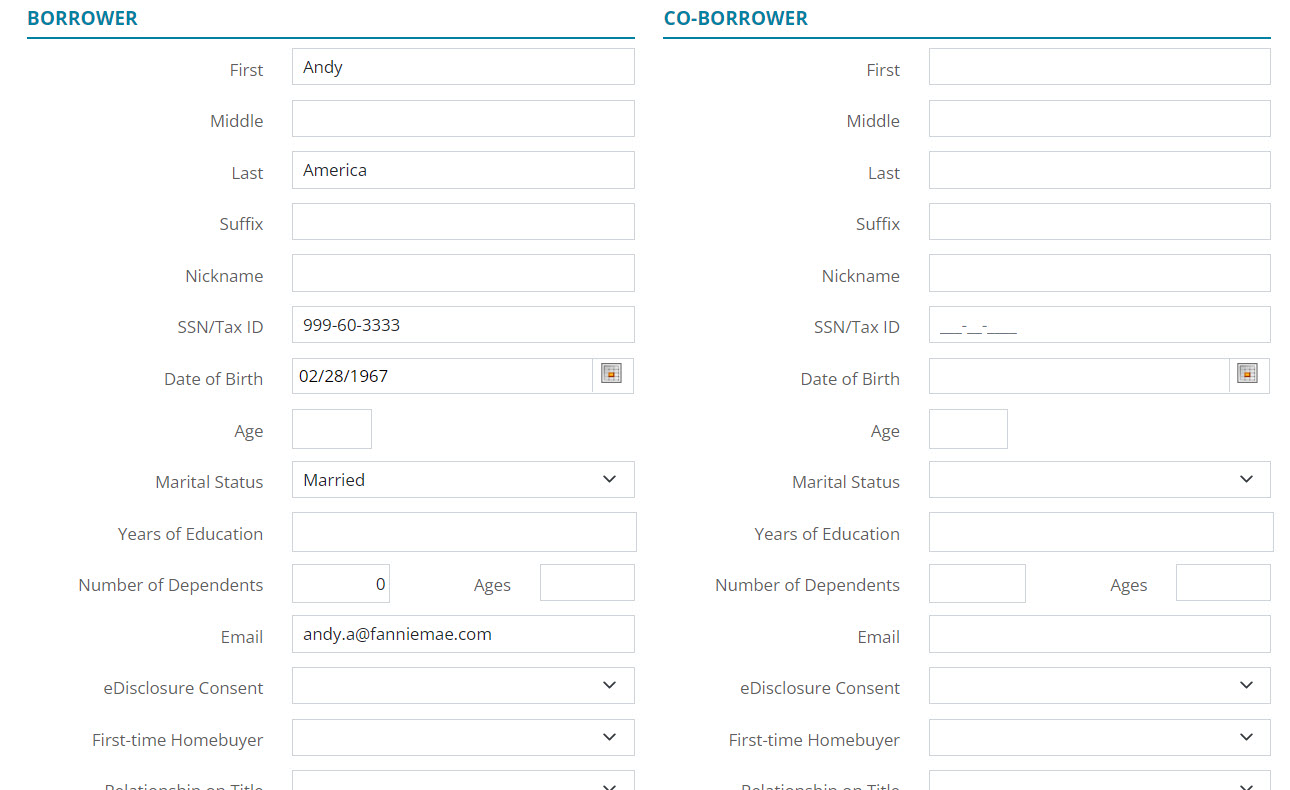
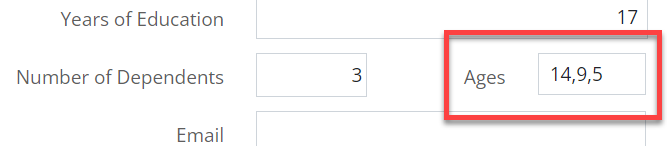
- For the Dependents fields, enter the correct amount in the Number of Dependents field.
- Enter the Ages of all dependents. See example below.
- Click on the Save button located at the top of the Borrowers screen.
Adding Additional Borrowers
To add an additional Borrower:
-
Click on the Add Borrower icon.
A radio button will appear under the Primary borrower’s name. The radio button allows the user to choose between borrowers that are added to the loan.

- Select a Loan Originator from the drop-down list.
- Select the Calendar icon to add a Loan Originator Signature date.
- In the Borrower section, add the desired information for the new borrower.
Once the sections have been filled out, the name of the additional borrower will appear.

- Click on the Save button located at the top of the Borrowers screen.
Note: Drag & drop the desired borrower to make them the primary loan borrower.
Importing From Leads
The user can import a borrower by using leads.
To Import from Leads:
- Select the Add Borrower icon.
- Choose Import from Leads.

-
Click Next.
-
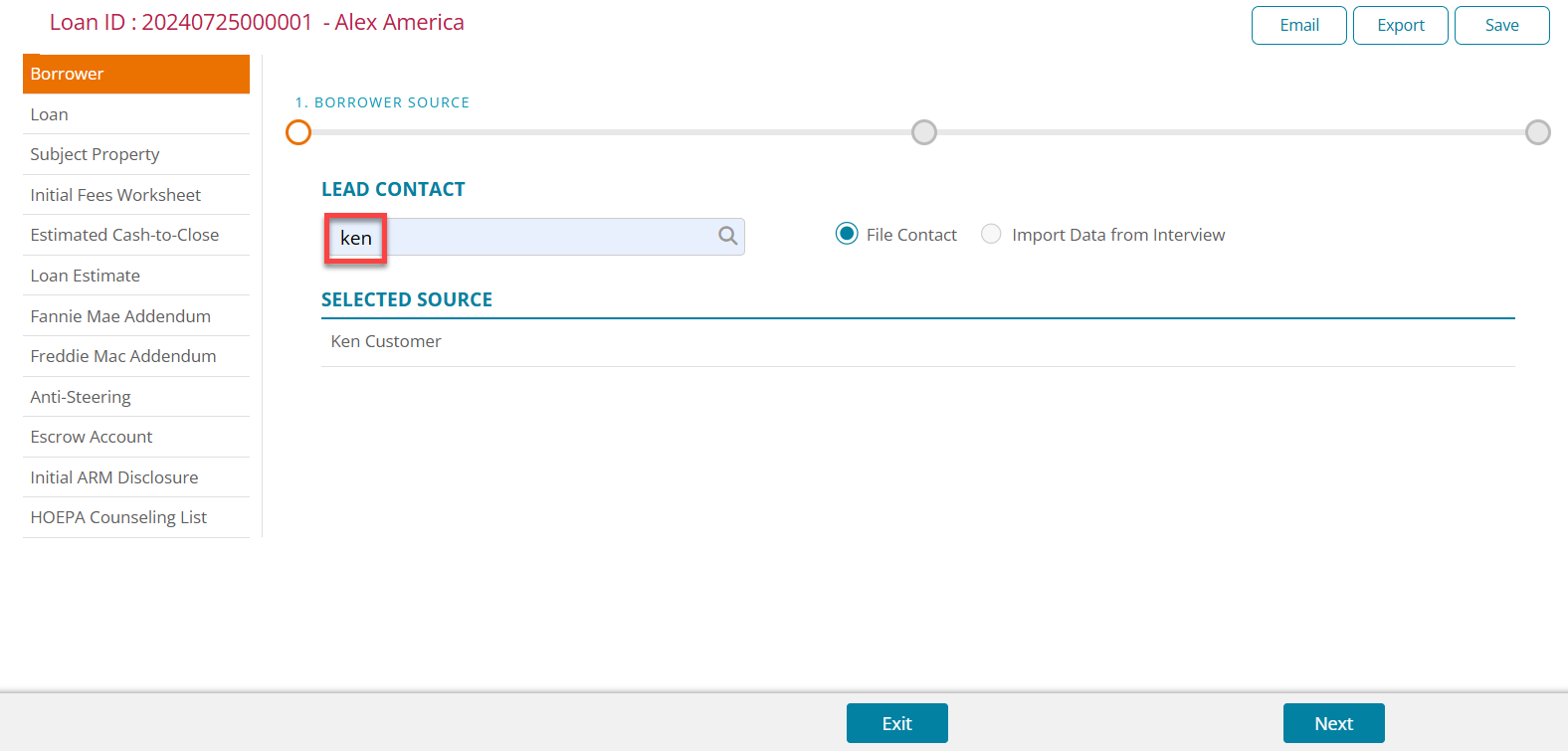
Search for the desired Lead Contact using the search bar.
Note: If the Lead contains no stored documents, the screen will skip to the Summary.
-
Click on the magnifying glass icon or press Enter.
-
Select the lead for the results table.
-
Select either File Contact or Import Data from Interview.
-
Click Next.
-
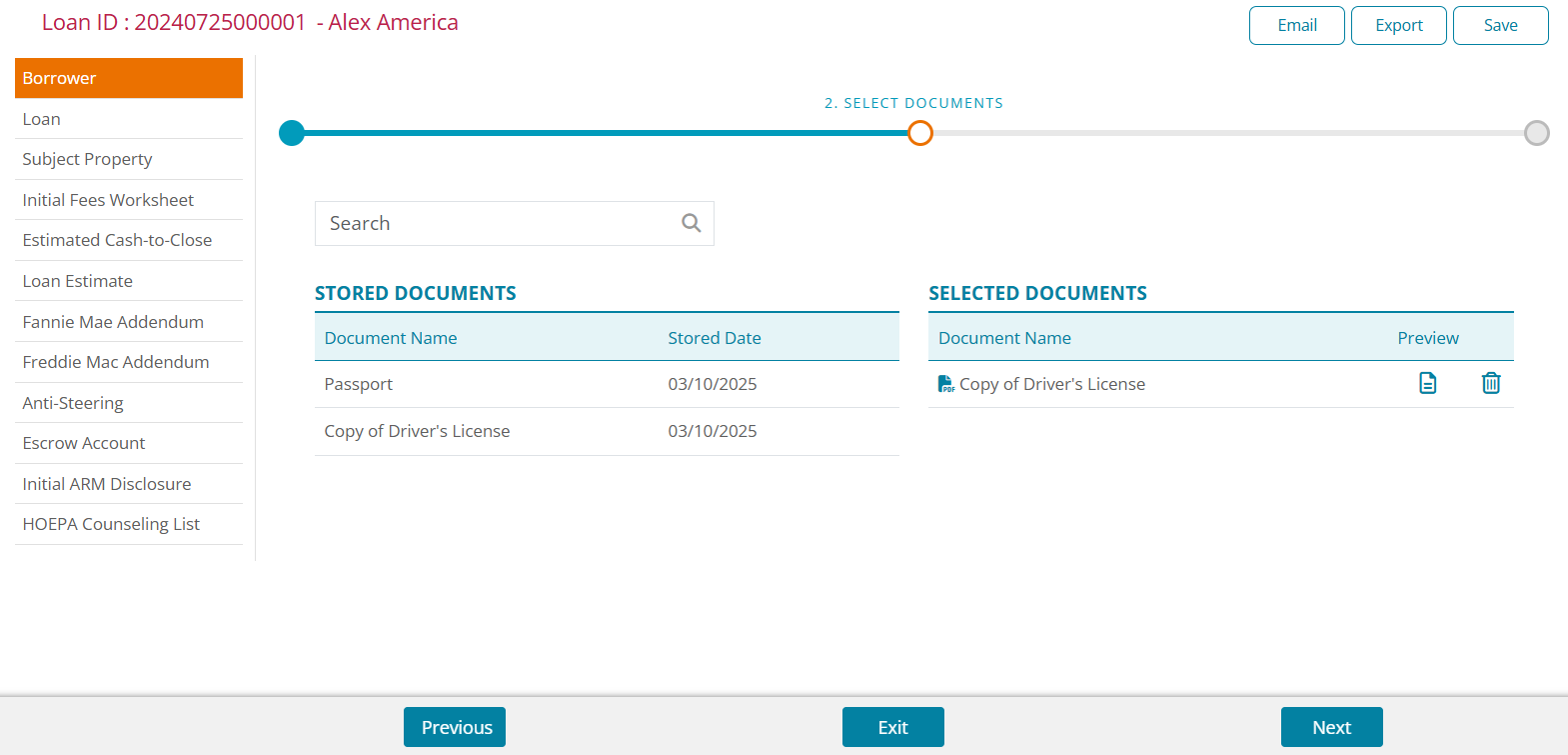
Select the desired stored documents to move the items to the Selected Documents table.
-
Click Next.
-
Review the Summary.
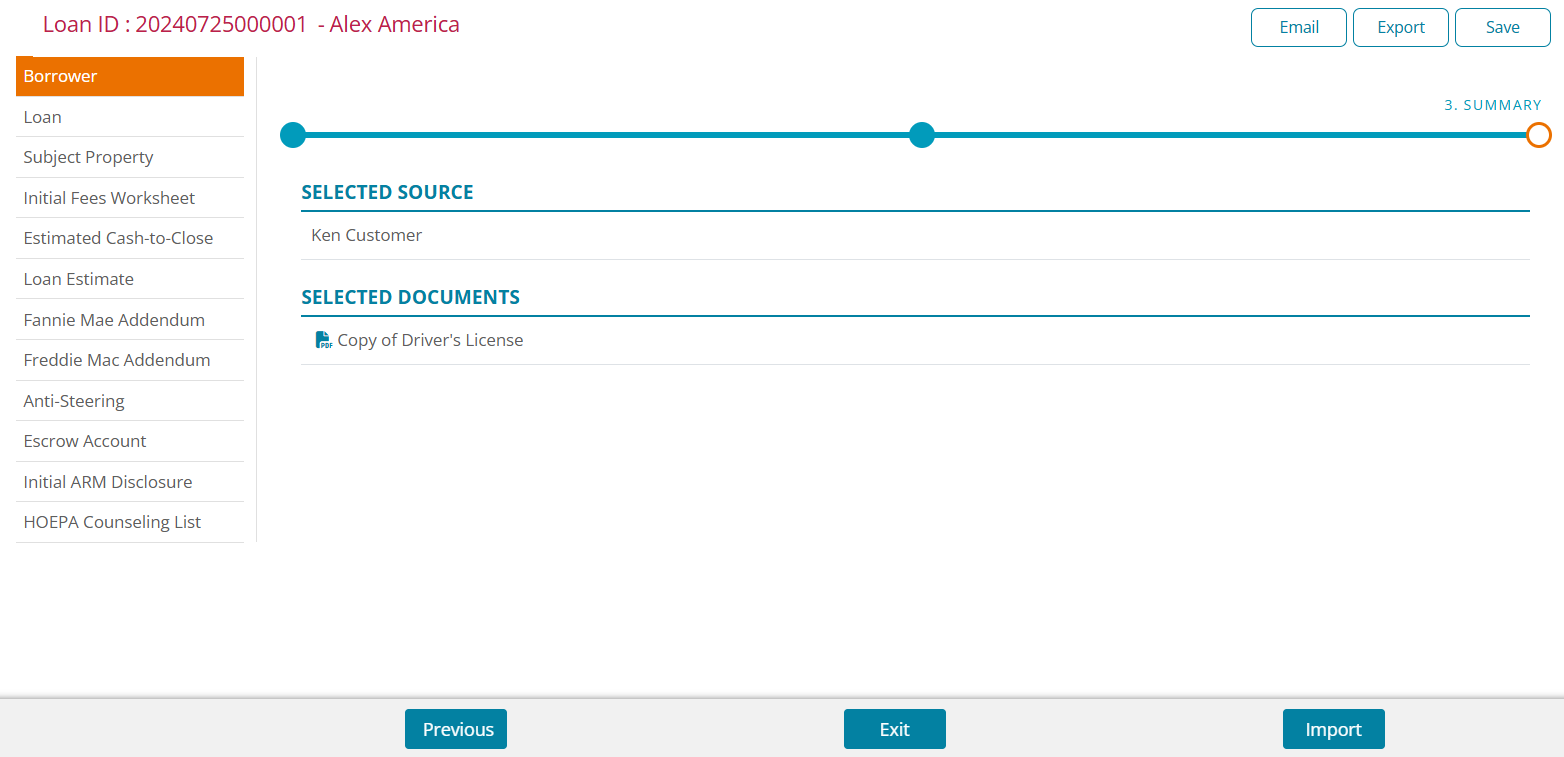
- Click Import.
Making the Borrower Primary
The user can select which borrower is selected as the Primary loan borrower.
To select a primary borrower:
- Open Application > Borrower.
- In the borrowers table, Drag and drop the desired borrower to the top position.
Dragging and dropping a borrower to the top position will automatically assign them as the primary borrower.
Before

After

- Click on the Save button located at the top of the Borrowers screen.
Deleting a Borrower
Use the following steps to delete a borrower from the loan.
Note: The primary borrower cannot be deleted if other borrowers are note listed on the loan.
To delete a Borrower:
- Click on Application > Borrower.
- Select the borrower to delete.

- Click on the Delete icon.
- Click Delete on the Delete Confirmation dialog.

- Click on the Save button located at the top of the Borrowers screen.
The borrower's information will no longer appear on the loan application.
Swapping Primary Borrowers
Use the following steps to swap the primary borrower and co-borrower. Information automatically updates to match the new primary borrower when the swap is complete.
- Click the Primary Borrower set.

- Click the Edit Borrower icon.
- Select the Swap radio button.
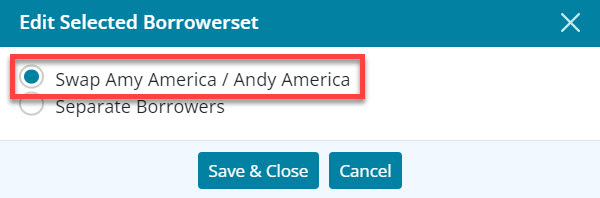
- Click Save & Close.
- Click on the Save button located at the top of the Borrowers screen.
Separating Borrowers
Use the following steps to separate borrowers in the borrower set. The separated borrowers become single borrowers in the Borrower List.
Note: Separate a borrower set to enable deleting a borrower from the loan.
- Select the Borrower Set.
- Click the Edit Borrower icon.

- Select the Separate Borrowers radio button.
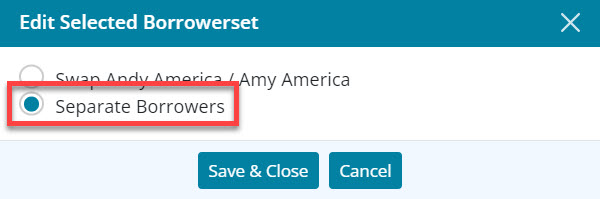
- Click Save & Close.
- Click on the Save button located at the top of the Borrowers screen.
Merging Borrowers
Use the following steps to merge borrowers.
To merge a borrower:
- Select one of the borrowers to merge.

- Click the Edit Borrower icon.
- Select the appropriate Merge As option in the drop down menu.
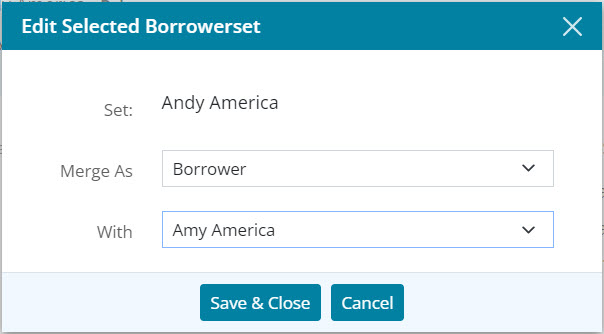
- Select the borrower to merge With.
- Click Save & Close.
- Click on the Save button located at the top of the Borrowers screen.